 Hire Logix Labs
Market Difficulty Intelligence
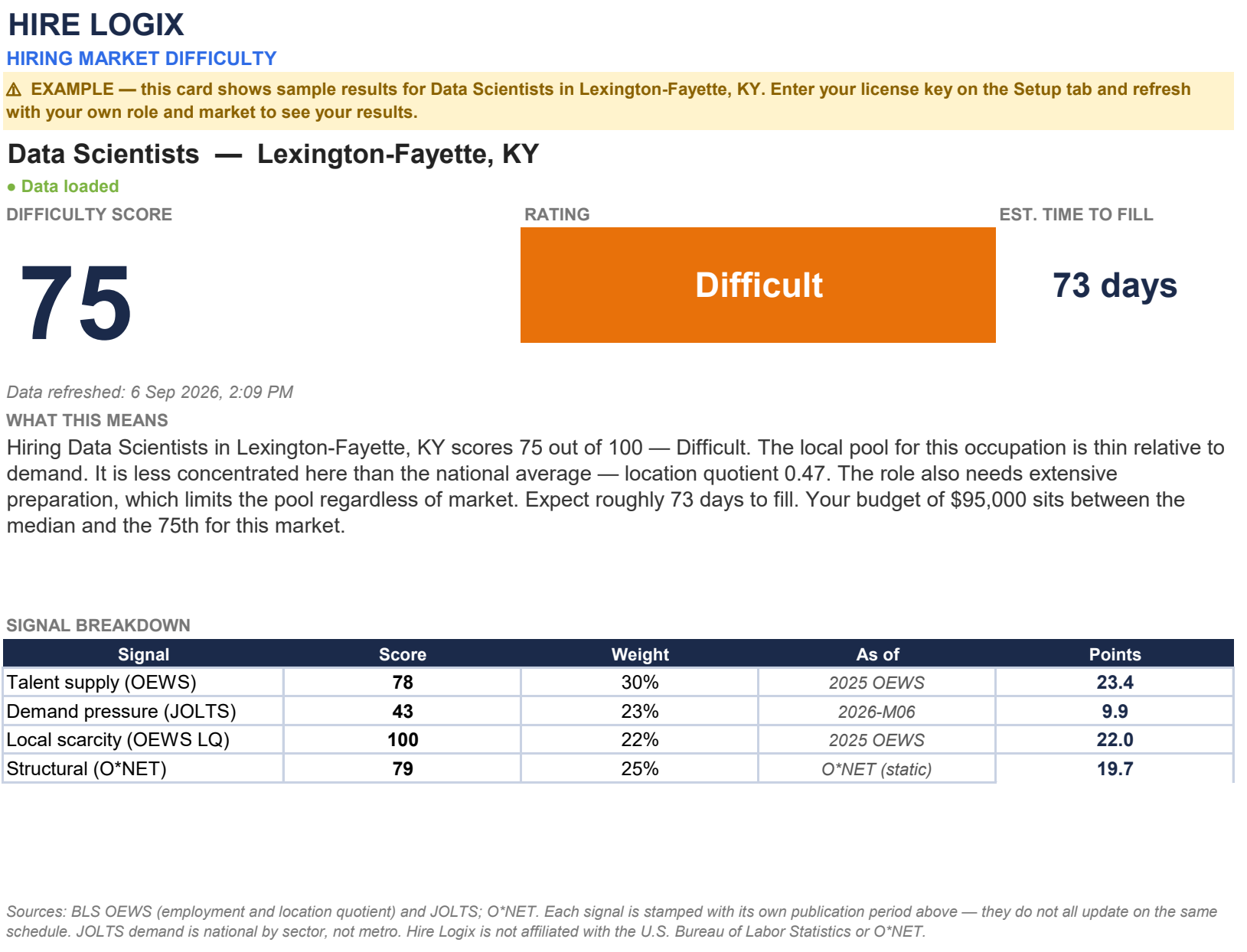
Set more informed hiring expectations before sourcing begins. Compare local talent supply, industry demand and occupational requirements in one Excel scorecard.
Assess hiring difficulty, put pay in context and focus your recruiting effort. Practical Excel tools for the decisions you make before—and during—the search.
Three connected data tools plus one offline recruiting dashboard. Choose a workbook for a specific decision or use all four across your hiring workflow. Each is a separate file; they do not automatically synchronize.
Set more informed hiring expectations before sourcing begins. Compare local talent supply, industry demand and occupational requirements in one Excel scorecard.
Ground your compensation conversation in published wage benchmarks. Compare occupational wage percentiles and certified H-1B filing wages while keeping the two measures distinct.
Build a focused campus outreach shortlist across 390 four-digit program groups. Start with a hiring role or select programs, then compare completions, later earnings, distance and growth.
Keep aging requisitions and overdue follow-ups in view. Track requisitions, interview events and next actions in an offline Excel workspace.
Market Difficulty, Salary Intelligence and Campus Intelligence use a license key to refresh data. Recruiting Dashboard works offline and needs no license key.
Review the workbook’s setup instructions and choose a supported role and market or school search.
Paste your purchase license on Setup, then choose Data → Refresh All. You do not need your own federal API keys.
Review the status and source periods. For Salary and Campus, inspect Refresh Details if a key, selection or connection needs attention.
Market Difficulty, Salary Intelligence, Campus Intelligence and Recruiting Dashboard. Three licensed data tools plus an offline operating workbook. Use the license key included with each data tool.
$191.99 separately
Save $42.99 · 22% off individual prices
Secure checkout and download through Gumroad.
BLS employment, wages and national industry openings provide context for hiring decisions.
Education outcomes and certified LCA records answer distinct questions; they are not interchangeable salary measures.
Recruiting Dashboard calculates from the requisitions and interview events you record.
Try it with your recruiting workflow. If it isn’t right for you, request a full refund within 30 days of purchase.
Applies to individual products and the bundle. Read the refund policy or contact support.